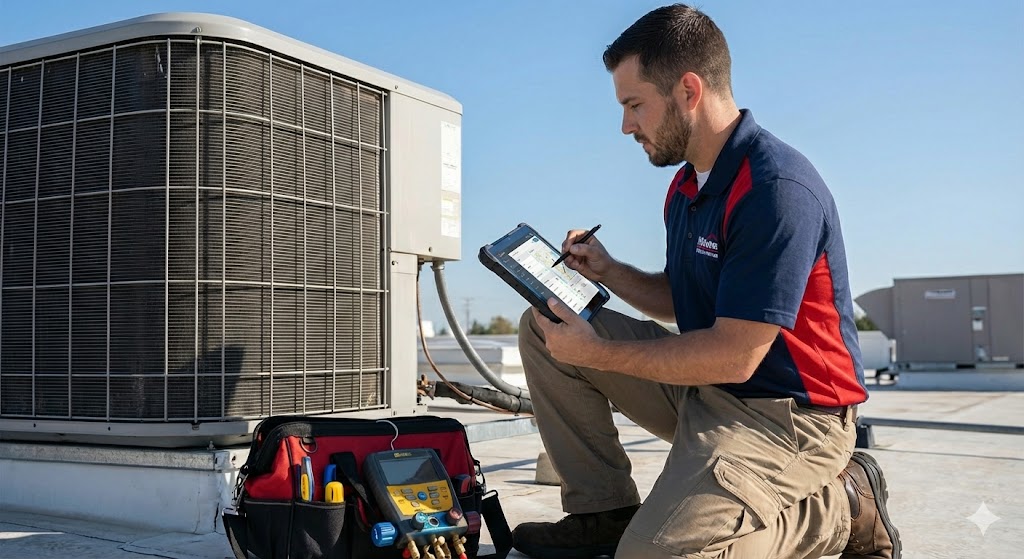
If you are reading this in July during a heatwave, your dispatch board is probably a disaster zone of scribbled Post-it notes, your techs are calling the office asking for customer history they should already have on their iPads, and you have thousands of dollars in un-invoiced work sitting in a pile on your desk.
We know the feeling.
Running an HVAC service business on pen and paper, whiteboards, or a disjointed mix of Google Calendar and QuickBooks doesn’t work once you pass the two-truck mark. It’s a recipe for lost revenue, burned-out dispatchers, and frustrated customers.
To modernize your operations and actually secure the profits you’re working so hard for, you need a dedicated Field Service Management (FSM) platform. You need a central nervous system for your business.
But Googling “best HVAC software” leads you into a minefield of aggressive sales pitches, confusing feature lists, and platforms that cost more than a new work van.
At HVAC Service Ops, we don’t care about flashy marketing websites. We care about operational efficiency. We care about software that reduces unbillable windshield time, increases average ticket sizes through better presentation, and streamlines payroll.
In this guide, we are cutting through the noise. We aren’t listing 50 options. We are analyzing the top market leaders based on the only metric that matters: the current size and complexity of your operations.
The Golden Rule of Buying HVAC Software
Before we look at the tools, you need to accept a fundamental truth about technology in the trades:
Buying software that is too complex for your current needs is just as dangerous as staying on pen and paper.
If you run a three-truck residential operation, buying an enterprise-grade behemoth like ServiceTitan is like buying a semi-truck to deliver a pizza. It’s expensive, it requires massive internal resources to set up, and your team will hate using it because it complicates simple tasks. You will overpay for 80% of features you never use.
Conversely, if you have 12 techs, a warehouse manager, and commercial contracts, trying to run your business on a simple “app” will strangle your growth because it lacks the inventory controls and reporting capability you need to track profitability.
The goal today is to match the tool to the job.
Quick Verdict: The Operational Cheat Sheet
If you are too busy in the field to read the full breakdowns below, here is our operational summary of the current market leaders based on business stage.
| Best For… | Our Pick | Why It Wins Operationally |
| The “Fast Start” (1-5 Trucks) | Jobber | Fastest implementation time. It looks professional to customers, techs find it easy to use, and it gets you off paper and getting paid digitally within 48 hours. |
| The Scaling Operation (5-20 Trucks) | Housecall Pro | The best balance of power versus usability. Strong enough for complex dispatching and marketing automation, but won’t require hiring a full-time IT person to manage it. |
| The Enterprise Giant (20+ / Heavy Commercial) | ServiceTitan | The undisputed heavyweight champion of reporting and complex workflows. Expensive and requires a massive commitment, but offers unmatched power for large players. |
Category 1: The “Fast Start” (Ideal for 1–5 Trucks)
The Operational Goal: Cash Flow and Professionalism.
At this stage, you don’t need complex inventory warehousing or API integrations. You need to get quotes out fast, look professional doing it, and get paid immediately upon job completion so you aren’t chasing checks on the weekend. You need software that your oldest, least tech-savvy technician can learn in 20 minutes.
Our Pick: Jobber
Jobber has cornered the market on usability. It is arguably the best-looking platform on both the technician side (the app) and the customer side (the quotes and invoices they receive via text/email).
The Operational Good:
- Speed to Implementation: You can set Jobber up on a Saturday and be running live calls on Monday. The learning curve is almost non-existent.
- The Customer Experience: This is Jobber’s superpower. Their quote templates look fantastic on mobile phones. They offer a “client hub” where customers can approve quotes, pay invoices, and see appointment details. This immediately makes a 2-truck operation look like a 20-truck operation to the homeowner.
- Getting Paid fast: Their integrated payment processing is seamless, encouraging techs to collect payment in the driveway before they leave.
The Operational Bad:
- Inventory Weakness: If you are trying to track serial numbers on condensers or manage a caged warehouse, Jobber will struggle. It is designed more for “parts and labor” flat rating rather than deep inventory control.
- Reporting limits: You won’t get the deep-dive granular data on technician performance that larger platforms offer.
Verdict: If you are currently drowning in paper invoices and want the fastest, easiest path to digitization, start here.
Category 2: The Scaling Operation (Ideal for 5–20 Trucks)
The Operational Goal: Efficiency, Marketing, and Process Control.
Once you pass 5 trucks, you can’t “wing it” anymore. You need your techs following a specific workflow on every call to ensure profitability. You need diagnostic reporting to see which techs are selling and which are just order-taking. You also need tools to fill the schedule during the shoulder seasons.
Our Pick: Housecall Pro
Housecall Pro (HCP) sits in the “Goldilocks zone” for most residential HVAC companies. It is significantly more powerful than Jobber, offering deeper features, but it hasn’t reached the overwhelming complexity of the enterprise solutions.
The Operational Good:
- Process Enforcement: You can force technicians to complete certain steps in the app (like taking photos of the model/serial plate or filling out a checklist) before they can close out a job. This ensures uniform service quality across your fleet.
- Sales Proposals: HCP has excellent multi-option quoting tools. Presenting a “Good, Better, Best” changeout option right on the iPad increases average ticket value significantly compared to scribbling one price on a notepad.
- Marketing Automation: This is a major differentiator. HCP can automatically send postcard or email reminders to customers whose equipment is due for maintenance. This is crucial for filling the schedule during the slow spring and fall months without having a dispatcher manually call dozens of people.
The Operational Bad:
- Feature Bloat Risk: They release new features constantly. While good, it can sometimes feel overwhelming to keep up with the changes if you don’t have a dedicated office manager staying on top of it.
- Pricing Tiers: To get the really good stuff (like advanced reporting and dedicated support), you have to move up to their higher price tiers.
Verdict: For the growing residential HVAC company that wants to enforce processes and automate marketing, Housecall Pro is currently the best balance of power and price.
The Enterprise Mention: ServiceTitan
We have to mention the 800lb gorilla in the room. If you go to any HVAC trade show, ServiceTitan’s booth is bigger than some houses.
Who it is for: Large residential fleets (20+ trucks), companies doing significant commercial work, or businesses owned by private equity groups that demand intense, granular data reporting.
The Operational Reality: ServiceTitan is incredibly powerful. Its reporting capabilities, pricebook management, and call-booking screen are second to none.
However, it is expensive, and it is a commitment. Implementing ServiceTitan often takes months and may require hiring a full-time person just to manage the software and data entry. If you are a smaller shop, do not let their slick sales presentation convince you that you need this level of horsepower. You will likely regret the complexity.
Final Thoughts and Next Steps
Moving to a new FSM software is like open-heart surgery on your business. It will be painful for a few weeks, but it is necessary for long-term survival.
Do not just sign up for the first one you see.
- Define your three biggest pain points right now. (e.g., “Techs aren’t collecting payment,” “Dispatch is chaotic,” or “We look unprofessional”).
- Schedule demos with two providers from the list above based on your size.
- Ignore the salesperson’s “flashy features.” Ask them specifically to show you how their software solves those three pain points you wrote down. If they can’t show you that quickly, move on.
The goal isn’t to have the newest technology; the goal is to run a more efficient, profitable HVAC operation. Choose the tool that helps you do that today.